
What this helps you do
Sign in to your church’s Engage Spot admin area with your email address and password.
Before you begin
You need:
- An Engage Spot account for the church you are trying to access.
- An Admin, Limited Admin, or Team Leader role.
- The email address and password for that account.
Your role and permissions determine which parts of the admin area you can use after signing in.
Steps
-
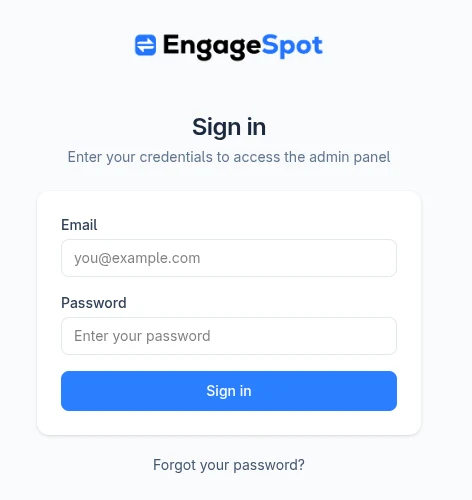
Open your church’s Engage Spot admin sign-in page. This page is at the subdomain created when your church’s account was set up. If you do not know the subdomain, ask the admin who originally set up the account.
-
In Email, enter the email address for your account.
-
In Password, enter your password.
-
Select Sign in. Engage Spot opens the admin area.
What happens next
Engage Spot opens the Dashboard unless you were asked to sign in while opening another protected admin page. In that case, Engage Spot returns you to the page you originally requested.
Troubleshooting
Your email address or password is not accepted
If Engage Spot shows Try another email address or password, check that:
- You entered the email address and password for the correct account.
- You opened the sign-in page for the correct church.
- Your account has an Admin, Limited Admin, or Team Leader role.
Then try signing in again. If Engage Spot shows Try again later, wait before trying again.
You forgot your password
- On the sign-in page, select Forgot your password?
- In Email, enter the email address for your account.
- Select Send reset instructions.
- Follow the link in the reset email to choose and confirm a new password.
- Return to the sign-in page and sign in with your new password.
For privacy, Engage Spot shows the same confirmation whether or not an account exists for the email address. If the email does not arrive, check the address, your spam or junk folder, and that you are using the account for the correct church.
Related articles
There are no related articles yet.